Hydroponic Timers vs Smart Controllers: When a Simple Timer Is Enough and When to Upgrade
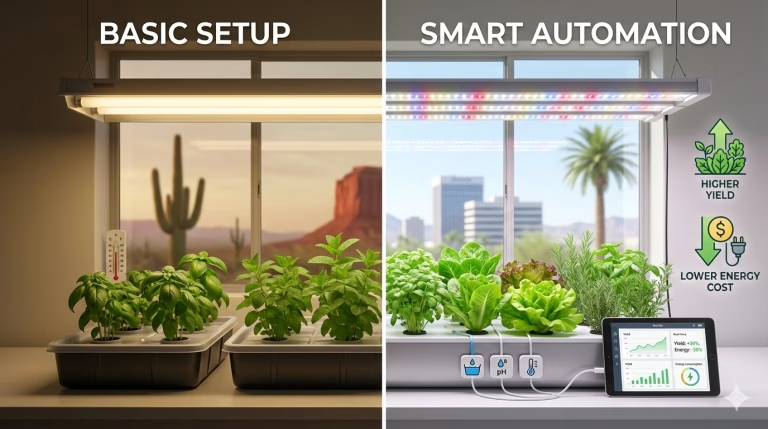
Hydroponic timers are perfect for simply turning pumps and lights on and off, while smart hydroponic controllers monitor and adjust pH, EC, temperature, and sometimes lighting automatically, often through an app. For most beginners with small home systems, a basic timer is enough, but as you scale up, grow in unstable environments, or travel a lot, a smart controller becomes a real stress reducer.
TL;DR: Use a plug in mechanical or digital timer for small DWC, Kratky, ebb and flow, or drip buckets if you are usually at home. Upgrade to a smart controller when you need automatic pH and EC control, remote monitoring, and detailed data for bigger or more sensitive grows.
What is a hydroponic automation controller?
A hydroponic automation controller is any device that runs parts of your system automatically so you do not have to plug and unplug equipment by hand. At the simple end, that is a basic outlet timer that controls a pump or grow light on a schedule. At the advanced end, smart controllers continuously monitor pH, EC, and water temperature and adjust dosing or alert you through WiFi and an app.
Automation can cover several jobs:
- Irrigation timing for pumps in ebb and flow, drip, NFT, and aeroponics systems
- Light cycles for vegetative and flowering photoperiod plants
- Aeration pumps for DWC and other deep reservoirs
- Nutrient and pH dosing in more advanced setups
How do simple hydroponic timers work?
A hydroponic timer is usually a small plug in device that sits between the wall outlet and your pump, light, or fan. Mechanical models use a 24 hour dial with tabs or pins that you push up or down to set on and off times. Digital timers use an LCD screen and buttons to program multiple on and off events throughout the week down to 1 minute or even 1 second increments.
In hydroponics, timers are commonly used to:
- Run a pump for 15 to 30 minutes every hour so roots get both nutrient solution and air, which helps prevent root rot and reduces energy use
- Turn grow lights on and off to mimic day and night, which can significantly improve growth and lower power bills
- Coordinate fans or air pumps so the system runs only when needed instead of 24/7
What do smart hydroponic controllers do?
Smart hydroponic controllers are like the brain of a system. They typically read pH, EC or TDS, and water temperature continuously and send that data to a phone app or web dashboard. Many units also include dosing pumps that automatically add pH up, pH down, or nutrients to keep your reservoir in a target range around pH 5.5 to 6.5 for most leafy greens and vegetables.
Common smart controller features include:
- 24/7 live monitoring of pH, EC, and water temperature with automatic temperature compensation for accurate readings
- App based control so you can see trends, receive alerts, and adjust settings from anywhere with WiFi
- Dual pH dosing pumps and modular nutrient dosers that can scale from a small hobby reservoir to multiple tanks
These devices are built for growers who want data, precision, and less hands on measurement with handheld meters.
Hydroponic timer vs smart controller: what is the difference?
At a high level, timers simply turn power on and off, while smart controllers measure and make decisions. A mechanical or digital timer has no idea whether your pH is drifting or your EC is too low, it just follows the schedule you programmed. A smart controller reads sensor values in real time and can automatically dose or alert you when something moves out of range.
Here is a quick side by side view:
| Feature | Basic timer (mechanical or digital) | Smart hydroponic controller |
|---|---|---|
| Main job | Turn equipment on and off on a schedule | Monitor pH, EC, temperature and often dose automatically |
| Typical price | About 10 to 25 USD per outlet timer | Hundreds to over 900 USD depending on kit and dosing pumps included |
| Sensors | None | pH, EC or TDS, water temperature, sometimes more |
| Connectivity | None | WiFi or LAN with phone app or web dashboard |
| Best use cases | Small home systems and simple light or pump schedules | Larger reservoirs, sensitive crops, and growers who travel often |
| Skill level required | Beginner friendly | Intermediate to advanced |
When is a simple hydroponic timer enough?
For most apartment growers and small home systems, a good quality timer is all you need to get reliable results. Timers are ideal if you have:
- Small DWC buckets or totes where a pump runs continuously or on a very simple interval
- Ebb and flow tables or drip systems that only need a few short watering events per day
- Compact indoor gardens where your main automation is light on for 14 to 18 hours and off at night[
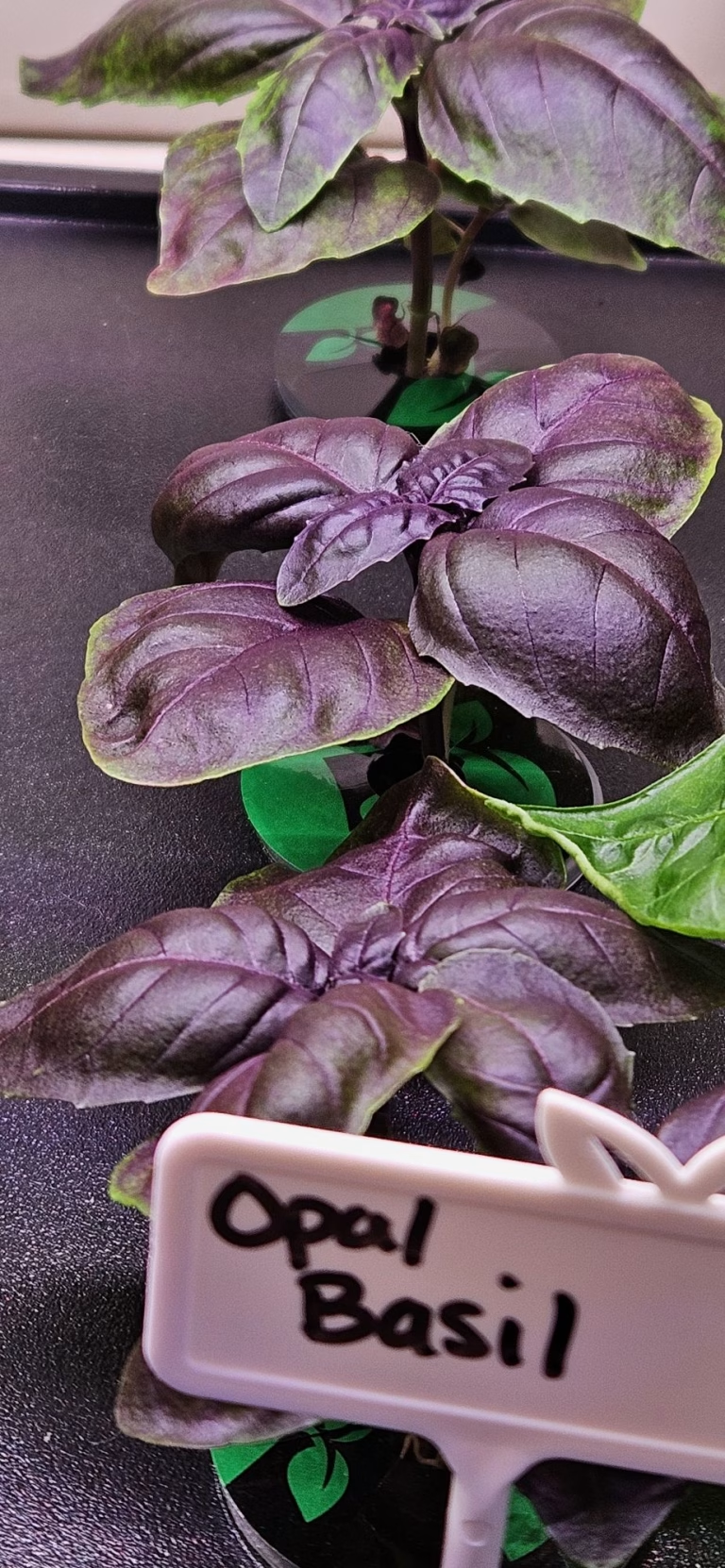
In my own small DWC and Kratky style setups, a single mechanical timer to run lights and a second digital timer for pumps has been enough to keep lettuce, basil, and pak choi happy. As long as you are willing to test and adjust pH and EC by hand every few days, basic timers keep costs low and complexity down.
Beginner hydroponic system types → beginner hydroponic system overview
When do you actually need a smart controller?
Smart controllers shine when your system gets big enough or delicate enough that manual oversight becomes stressful. They are especially valuable when:
- You run a single large reservoir feeding multiple beds or towers, so a pH failure can affect dozens of plants at once
- You grow nutrient sensitive crops like strawberries, tomatoes, or fruiting peppers that dislike big swings in EC or pH
- You are away from home for days at a time and want alerts or automatic correction if pH drifts out of the 5.5 to 6.5 window
From my runs in hot, dry Arizona, reservoirs could swing pH and temperature quickly during a summer heat wave. A smart controller that constantly watched pH and temperature and corrected small drifts would have cut down on emergency top ups and late night adjustments.
What equipment do you need for each approach?
What do you need for a timer based setup?
For a timer centric automation strategy, you usually need:
- 1 or more mechanical or digital outlet timers rated for at least 15 amps at 120 volts
- Submersible pumps for irrigation or recirculation
- Air pump and air stones for DWC
- Grow lights that can be switched by a timer, within the wattage rating
- Separate handheld pH and EC or TDS meters for testing your reservoirg
You might spend under $50 for two or three timers and still automate lights, pumps, and fans in a small tent or closet.
Best hydroponic nutrients for beginners → hydroponic nutrients guide
How to choose pH and EC meters → pH and EC tools
What do you need for a smart controller system?
For a smart setup, the controller itself is the core and usually includes the monitoring probes. Around that you will need:
- A smart hydroponic monitor or controller that supports pH, EC or TDS, and temperature
- Dosing pumps for pH up, pH down, and nutrients, either built in or as add on modules
- WiFi or wired network access so you can use the app reliably
- A reasonably stable reservoir with enough volume that small dosing changes do not overshoot your targets
Systems like Growee pair a Hydro Master monitor with a smart pH controller and additional dosers so you can start with basic monitoring, then expand into full nutrient automation when you are ready.
How to choose the right controller for your system
Choosing the right level of automation comes down to matching your system size, crop, budget, and tolerance for manual work. A simple decision path looks like this:
- If you grow 6 to 12 plants in a single tent or on a shelf and you enjoy checking on them daily, start with timers only.
- If you run 20 to 40 sites or more, or manage multiple stages like seedlings, veg, and flower, consider at least a smart monitor for pH and EC.
- If your harvests are critical for income or you have expensive, long running crops, a full dosing controller can act like insurance.
Also think about your personality. If you are an analytical grower who wants graphs and logs of every run, a WiFi connected controller with history and alerts can feed that curiosity while improving results.
How does plant type and system style affect the choice?
Different plant types and system styles put different loads on your automation. For example:
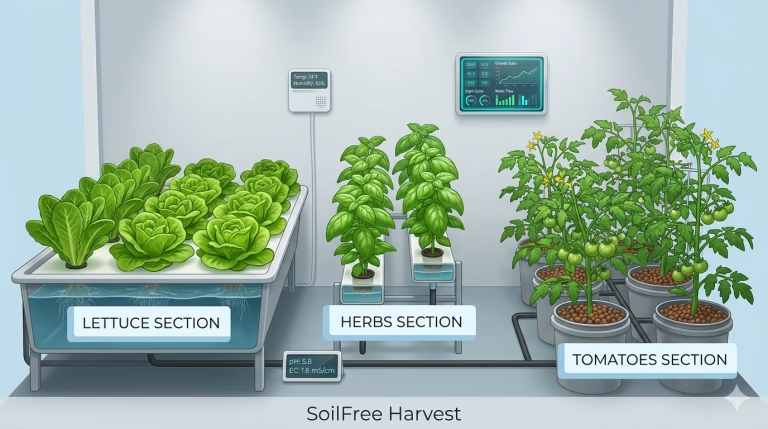
- Leafy greens and herbs in DWC, Kratky, or NFT are more forgiving of small pH and EC swings and can thrive with timers plus manual checks.
- Fruiting crops like tomatoes, peppers, and cucumbers in high density vertical or recirculating systems benefit more from precise dosing and stable conditions.
- Aeroponics and high frequency drip that run many cycles per hour lean heavily on timers or dedicated irrigation controllers for reliability.
If you are building your first apartment scale basil and lettuce rig, focus on solid timers and learning pH management by hand. If you are stacking towers or planning a homestead scale indoor garden, leave room in the budget for a smart controller down the line.
Which plants grow best in hydroponics → best plants for hydroponics
Comparing DWC vs NFT vs aeroponics → system comparison guide
How to set up a basic hydroponic timer (How To)
Title: Set up a simple hydroponic timer for your pump and lights
Description: This walkthrough shows you how to program a basic mechanical or digital timer to automate a home hydroponic system.
Materials and tools
- 1 mechanical or digital outlet timer rated for 120 V, 15 A or higher
- Your submersible pump and power cord
- Your grow light and power cord
- Pen and paper or notes app to plan your schedule
- Access to a nearby wall outlet or power strip
Steps
- Plan your light and irrigation schedule
Decide how many hours of light your plants need each day, such as 16 hours on and 8 hours off for leafy greens. Plan irrigation cycles for non DWC systems, such as 15 minutes on every 1 to 2 hours during the day, based on your medium and plant size. - Set the current time on the timer
For a mechanical timer, rotate the dial until the arrow lines up with the current time of day. For a digital timer, use the clock and program buttons to set the correct time following the instructions. - Program on and off periods for lights
On a mechanical timer, push down the pins or tabs for the time window you want the light on, such as 6 am to 10 pm; leave the rest up so the light turns off at night. On a digital timer, create one daily program with the desired on and off times. - Program irrigation cycles for your pump
If you have a second timer for your pump, set multiple short on periods throughout the day, such as 15 to 30 minutes each hour while the lights are on. Many digital timers allow up to 8 or more on or off events per day, which is plenty for ebb and flow or drip. - Connect equipment and verify ratings
Plug your light into the light timer and your pump into the pump timer, making sure the total wattage does not exceed the timer rating, often 1725 watts at 15 amps for indoor models. Plug the timers into a grounded outlet or quality power strip. - Test the schedule and make adjustments
Use the manual override or test mode to confirm that the timer turns devices on and off when expected. Watch one full cycle to make sure your trays flood and drain correctly or your lights do not flicker when switching. Adjust the schedule over the first week as you observe plant response. - Check pH and EC manually to fine tune
Even with a perfect timer schedule, you still need to check pH and EC or TDS with a handheld meter regularly and adjust as needed. Use your notes to link plant performance back to both your timer settings and your nutrient levels so you can refine future grows.
Step by step DWC setup → DWC build guide
Beginner hydroponic maintenance checklist → routine maintenance guide
Maintenance and troubleshooting tips for timers and controllers
Timers are generally low maintenance, but they can drift or fail over time. Check that the clock remains accurate, especially after power outages, and reprogram it if your cycles start at the wrong time. Make sure mechanical dials are not jammed and that pins are fully up or down, since half set pins can create random extra cycles.
For smart controllers, keep pH and EC probes clean and calibrated with proper buffer solutions as recommended. In my experience, most odd readings come from dirty probes, low solution levels, or bubbles around the probe tip rather than the controller itself. Also double check WiFi signal strength at the reservoir so alerts and history logging remain reliable.
Cost breakdown: timers vs smart controllers
If you are just automation curious, a couple of timers is a very low risk buy. Many mechanical and digital timers for grow lights and pumps fall around 10 to 25 USD each, with dual outlet or higher precision models at the upper end of that range. With two or three timers you can fully automate a beginner friendly shelf or tent for well under 75 USD in control hardware.walmart+5
Smart controllers, by comparison, are a serious investment. A dedicated smart pH controller with dual dosing pumps and WiFi backed monitoring sells in the mid hundreds of dollars, around 650 USD in one popular kit that includes a Hydro Master monitor and pH balancer. More comprehensive automated nutrient and pH systems with multiple dosing pumps and app control can run from roughly 700 to almost 1000 USD per controller, especially in multi pack bundles. High end indoor smart gardens that package hydroponics, lighting, and automation together can cost close to 900 USD just for a single cabinet.
Hydroponic budget planning for beginners → budget planning guide
Local considerations for Arizona and Michigan growers
Hydroponic automation behaves differently in a Phoenix area apartment than in a Central Michigan basement. In hot, dry climates, reservoirs tend to warm and evaporate faster, which can concentrate nutrients and shift pH more dramatically day to day; that makes frequent monitoring and possibly smart controllers more valuable for large systems. In my own Arizona balcony setups, timers on pumps and lights helped a lot, but manual pH checks were still needed several times per week in summer.
In cooler, more humid basements or garages in Michigan, temperature swings are often slower, but power outages and winter humidity shifts can still affect your system. Simple timers with some surge protection are usually plenty for small home rigs, while smart controllers add peace of mind during trips or lake season when you are away for extended weekends. Either way, automation does not replace observation, it just buys you more consistency and warning time.
FAQ: hydroponic timers and smart controllers
Do I need a timer for hydroponics?
Yes, almost every hydroponic system benefits from at least one timer. Timers automate pump and light schedules so your plants get consistent cycles even if you forget or are not home.
How much does a basic hydroponic timer cost?
Most mechanical or digital outlet timers suitable for hydroponics cost between about 10 and 25 USD, depending on features like dual outlets or second level precision. That makes them one of the cheapest upgrades you can add to a home system.
Are smart hydroponic controllers worth it for beginners?
For a brand new grower with a small system, a smart controller is usually overkill. You will learn faster and spend less by starting with timers and handheld meters, then upgrading once you know your routine and pain points.
What problems can a smart controller prevent?
Smart controllers can catch pH drift, EC dilution from top ups, and temperature spikes before they damage roots, and some can automatically correct them through dosing pumps. They also provide alerts if something goes wrong while you are away, like an unexpected drop in EC that might indicate a leak.
How often should I check pH and EC if I only use timers?
With just timers and no smart automation, expect to check pH and EC at least every 1 to 3 days for most leafy greens and more often for fruiting crops or in hot weather. The smaller your reservoir and the more plants it feeds, the more frequently you should test.
Can I use one timer for both lights and pumps?
You can if their schedules are identical, but that is uncommon. Most growers use separate timers so pumps can run more frequently than lights and so light cycles can change between veg and flower while irrigation stays consistent.
Do timers and controllers still work during a power outage?
Regular timers and most smart controllers stop working if power is out, although many remember their programs once power returns. For areas with unreliable power, consider backup power for pumps and air stones or designs like Kratky that can tolerate short outages.
What happens if a timer fails?
Most timers fail in a predictable way, either stuck on or off. A stuck on pump can risk overwatering in some systems, while a stuck off light or pump can slow or halt growth, so using quality UL listed timers and not running them at their absolute max rating is important.
Are there subscription fees for smart hydroponic controllers?
Some smart monitors and controllers operate without subscription fees and offer app monitoring for free after purchase. Others bundle software and hardware for a single price, so always check the product details before you buy.
Common hydroponic mistakes beginners make → beginner mistake roundup
Author note
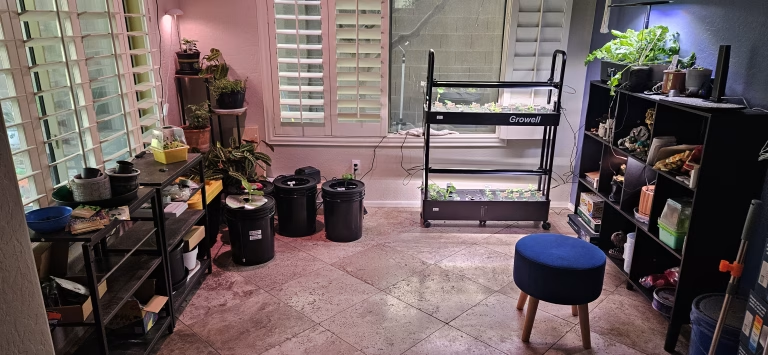
I started hydroponic growing in Peoria in the Phoenix metro area of Arizona, where hot balconies and dry air forced me to get serious about timers, shade, and reservoir management. Over multiple seasons I tested simple mechanical timers, digital power strips, and gradually added monitoring to stabilize pH and EC for leafy greens and herbs. Today I garden and experiment from Central Michigan, focusing on small indoor and garage based systems that apartment dwellers and new homesteaders can realistically run year round. My writing on Soil Free Harvest is all about practical, tested setups that regular people can actually build, automate, and maintain.
External resources
- Growee smart hydroponic controllers and dosing systems: https://getgrowee.com
- Indoor smart gardens overview and reviews: https://www.cnet.com/home/smart-home/best-indoor-garden
- BN LINK mechanical and digital timers for grow lights and pumps: https://www.bn-link.com
Share this:

Discover more from Soil Free Harvest
Subscribe to get the latest posts sent to your email.